// SOFTWARE + HARDWARE · 2025–2026
MEALMAP.
A human-centred campus dining platform: a kiosk flow plus NFC hardware that cut the campus meal journey to roughly a tenth of the queue-based comparison.
// SPEC
ROLE
UI/UX and software–electronics integration
WITH
Team project
ORG
Imperial College London
TOOLS
RC522 NFC, Figma, ESP32, Supabase
SKILLS
Database design, User research, Interface design, User testing
// SHOWCASE
▶ OPEN DEMO ↗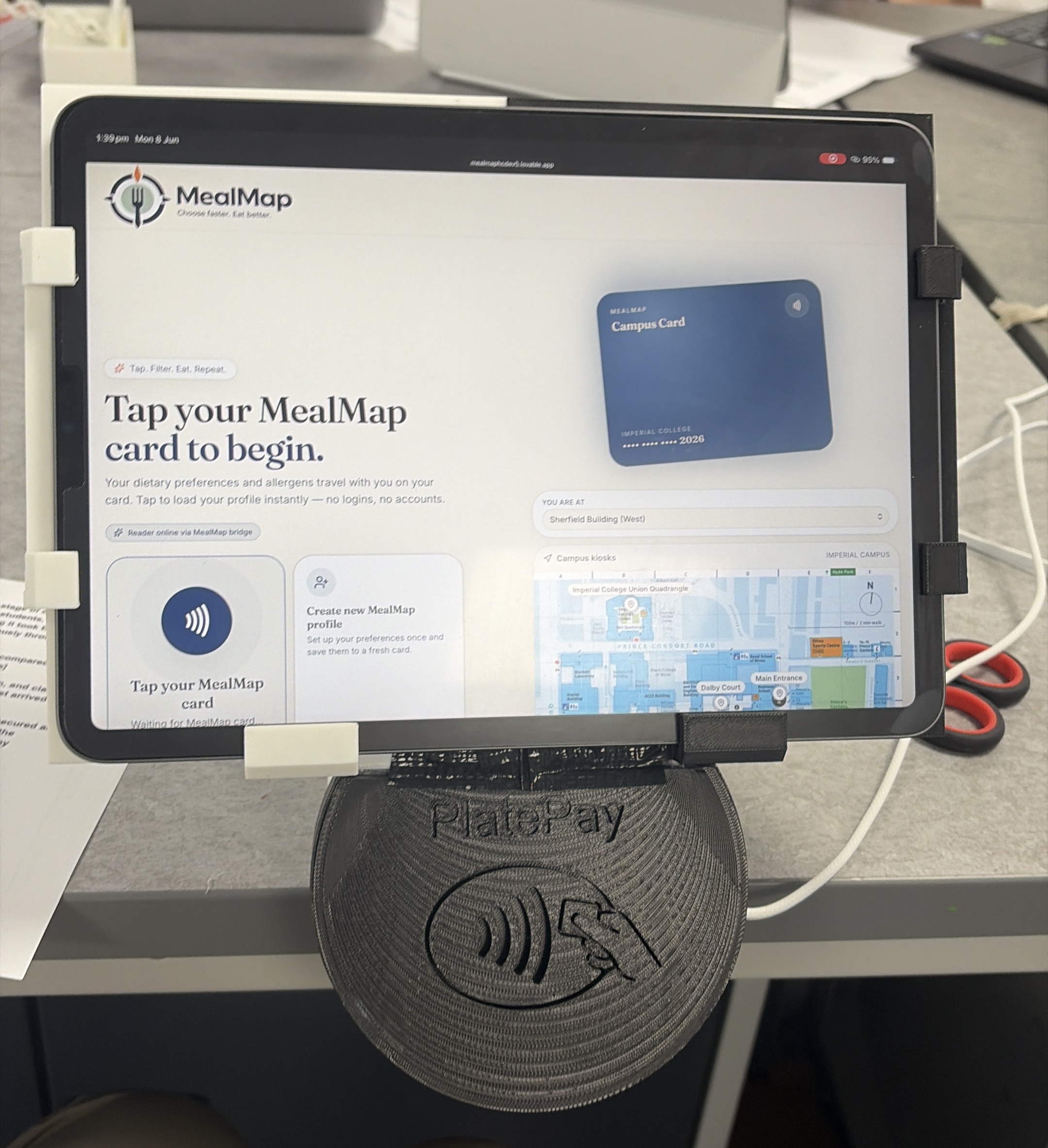
Final Prototype
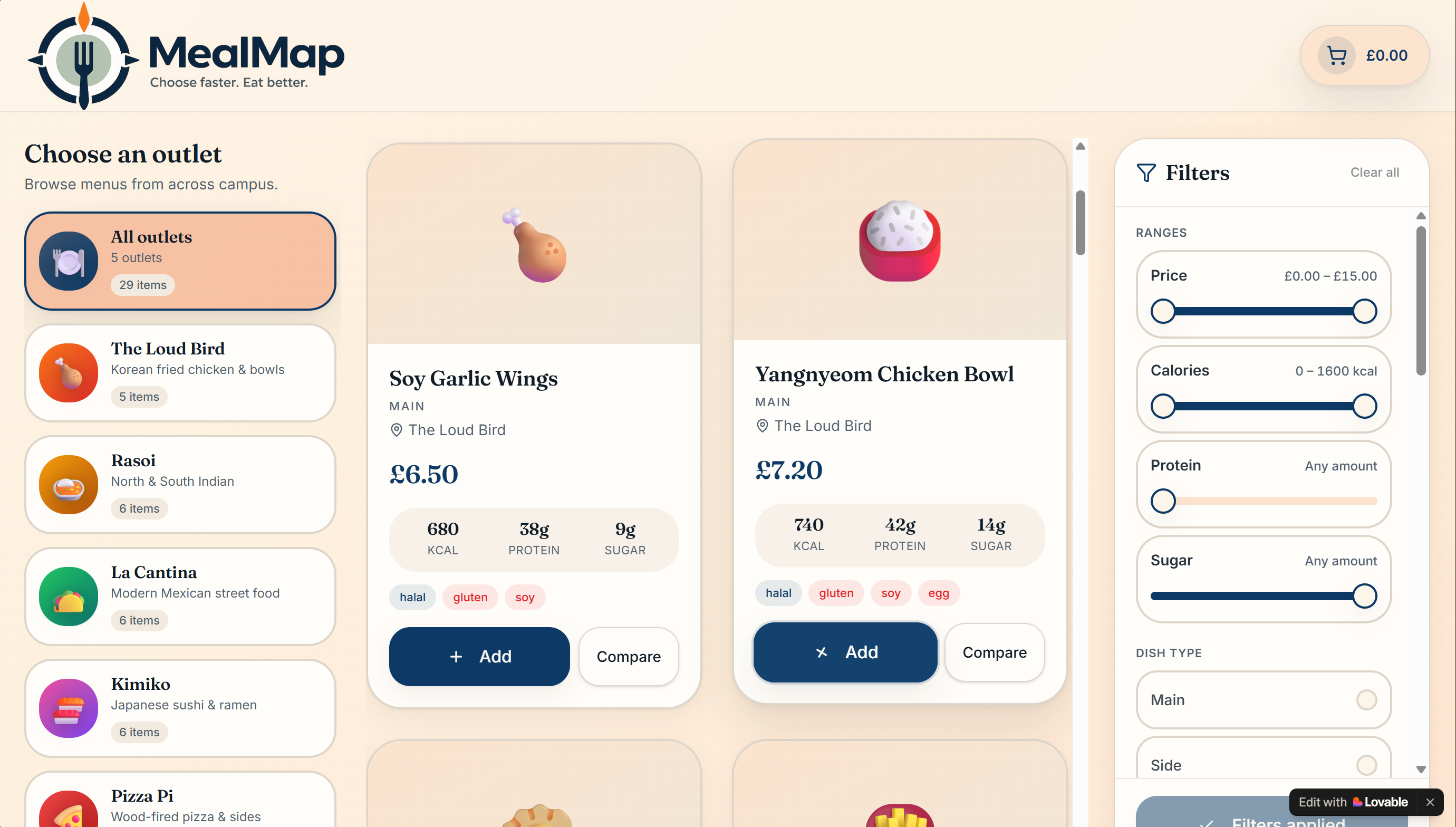
Initial Prototype Demo
§ 01
CONTEXT
Imperial's campus dining is built around queues. Time-pressured students and unfamiliar visitors were spending most of their break navigating outlets rather than eating, so a six-month Human-Centred Design Engineering project set out to redesign the journey rather than the menu.
§ 02
OBJECTIVES
- 01Understand how students, professors and catering staff actually move through campus dining
- 02Design a kiosk journey that works for time-pressured and unfamiliar diners
- 03Persist dietary preferences, allergens and orders per person
- 04Integrate NFC identification into a working prototype
§ 03
PROCESS
We ran observations, interviews, surveys and co-ideation sessions with students, professors and catering staff, then synthesised the findings through affinity and empathy mapping and thematic analysis to focus the brief. I led UI/UX across four interface iterations, taking a cluttered single-screen concept apart into a kiosk flow covering outlet selection, live filtering, meal comparison, cart, checkout, NFC prompts and post-purchase navigation.
I built the personalised data layer in Supabase, linking accounts, dietary preferences, allergens, NFC identifiers and food orders, and integrated the web platform with an ESP32 and RC522 NFC reader.
§ 04
DECISIONS
◆ DECISION LOG
We deliberately kept the kiosk journey linear rather than offering a dashboard: the research showed diners were time-pressured, not exploratory. Preferences were stored server-side against an NFC identifier so returning users never re-entered them.
§ 05
CHALLENGES
▲ FAILURE / RISK
The NFC architecture started wired, which tied the prototype to a single laptop. I adapted it to wireless communication so the kiosk could run on iPads and tablets and still write to the database. Testing surfaced duplicate NFC-account linking, unsaved preferences, order-display errors and confusing prompts — each resolved through repeated think-aloud and role-play sessions.
§ 06
OUTCOMES
● RESULT
Validated with 14 Imperial students across three scenario-based sessions. The prototype journey ran roughly 10× faster than the observed queue-based comparison journey used in the project.
§ 07
REFLECTION
✎ NOTE TO SELF
Owning both the interface and the software–electronics integration made the seams obvious: most usability failures lived in the handoff between screen and hardware, not inside either one.